
Before you start
Sign in to the platform if the post should count toward a project bonus.
For X, use your own X session. For Nostr publication from this dialog, use a compatible NIP-07 signing extension.
The post and the personal link used for verification must be public.

Follow along with Mila & SatsGarden, our fictional example account and project. Screens show example data.
Open Share project wherever you are
Open the project you want to promote and choose Share project. You can navigate there directly; opening the bonus checklist first is not required. Review the prepared message and change it to your own wording. Suggestions vary, so you do not need to copy another person’s post.
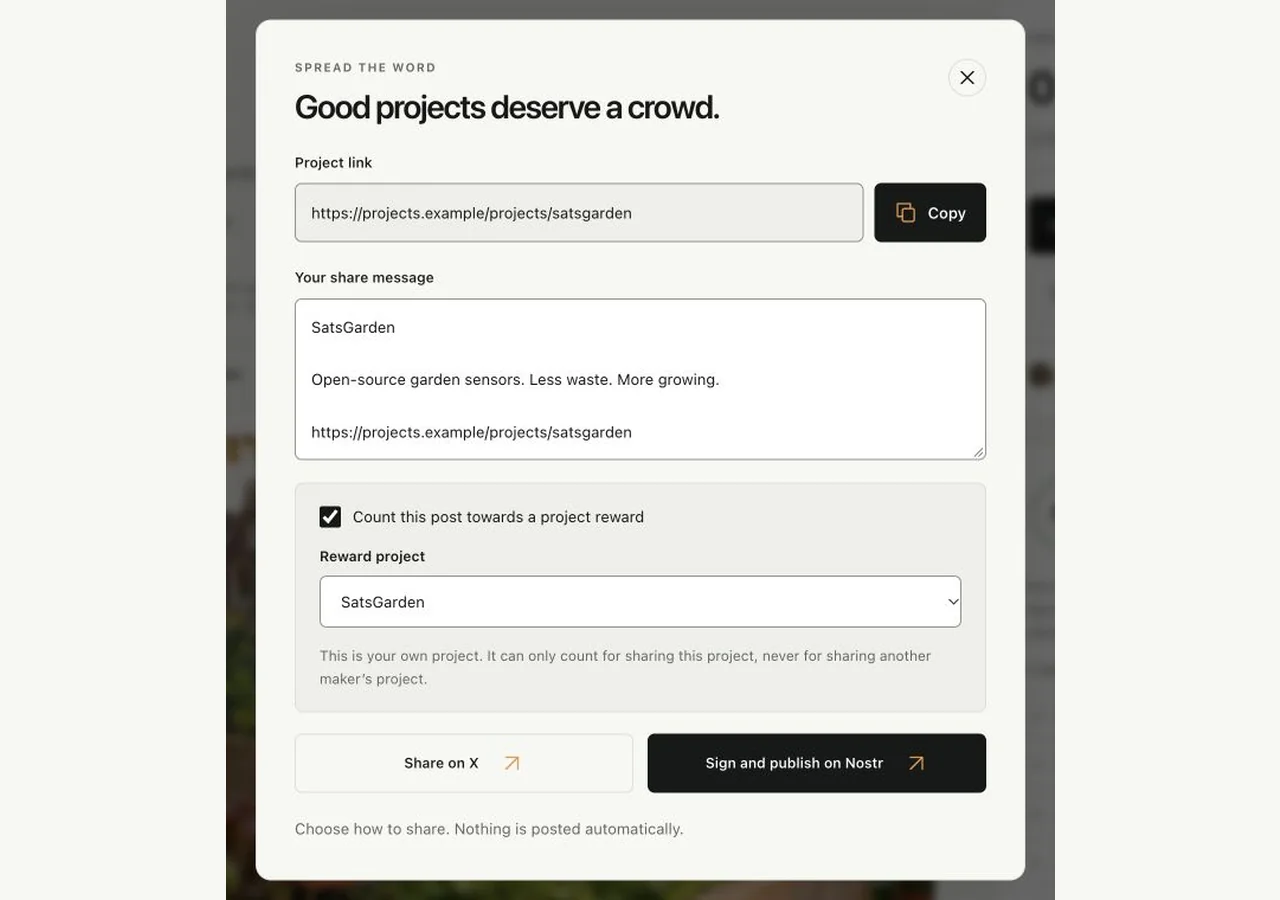
Choose which of your projects receives the credit
Keep Count this post towards a project reward selected and inspect Reward project. Eligible projects with the most earned bonus sats appear first. A project whose relevant sharing goal is completed or requested is no longer offered for that goal. Sharing your own project counts only as its own-project goal; sharing another maker’s project can count as an other-project goal. Your own and team projects never qualify as another maker’s.
Review and post on X
Choose Share on X. The platform prepares a personal verification link; keep that exact link in the public post. Review the text and publish it yourself on X. Merely opening X, copying an ordinary project URL or abandoning the composer does not verify a post. You do not need to paste a tweet URL back into the platform.
Or sign and publish on Nostr
Choose Sign and publish on Nostr and approve the expected public note in your signing extension. Never enter a private key or seed into the platform. If no compatible signer is available, the dialog explains what is missing. Signing alone is not enough: the note must be published and independently found on a public relay.
Let automatic checks run
A prepared round gets up to three scheduled checks, around 2, 10 and 30 minutes, depending on worker/provider availability. It stops after success or after those attempts. Keep the personal link intact and allow time for the result. You can close the browser; refreshing progress does not force extra social-network searches.
If the public post is not found
Check that you actually published it publicly with the prepared personal link. A deleted, private or unavailable post cannot be confirmed. After a round stops, use Prepare another post when you are ready to publish a fresh one. There is no continuous background checking and no need to submit a manual proof link.
Understand verification and one-time credit
X and Nostr are alternatives for the same goal, not extra rewards. A post cannot be reused for several project reward steps. Both X goals on a project use the same X identity; both Nostr goals use the same Nostr identity. Public proof is checked again at claim time, so keep the qualifying post available. Claim conditions still apply after a post is verified.
You’re all set when…
You published deliberately on your chosen network with the correct personal link.
Your checklist shows a confirmed goal, or a clear waiting/stopped result.