
Before you start
The project name and, if one exists, your donation reference.
Your wallet payment status when the issue concerns a payment.
Your private donation page or account access. Keep private links out of public posts.

Follow along with Mila & SatsGarden, our fictional example account and project. Screens show example data.
Check what actually happened
Look at the website and your wallet separately. Was an invoice never created, is it still waiting, did the wallet report failure, or does the wallet show a successful payment? Keep the reference shown on the private donation page. A successful click on Continue with Lightning only prepares a request; it is not proof that a payment was made.
Retry when a new payment request could not be prepared
If the form says it could not prepare the payment, keep your selected amount or reward and use Try again. The form preserves the choice and can start a fresh preparation after a failed attempt. If the payment provider is unavailable, another click may still fail until the connection is restored. There is no need to create an account merely to retry a guest donation.
If the wallet reports failure, review before a new attempt
Check that the invoice has not already been paid. Make sure you used the Lightning send function, had enough balance and used a current invoice. Return to the project flow to prepare a new request when the previous attempt is closed. Do not keep scanning an expired QR or send an unrelated on-chain payment to try to complete it.
If the wallet says paid, do not pay a second time
Keep the original private page and allow it to check the backend. Reopen the same page or your account support history instead of creating another donation. If confirmation does not arrive, contact platform support with the donation reference, the approximate time and what the wallet shows. A maker can answer delivery questions but cannot fix every payment-backend issue.
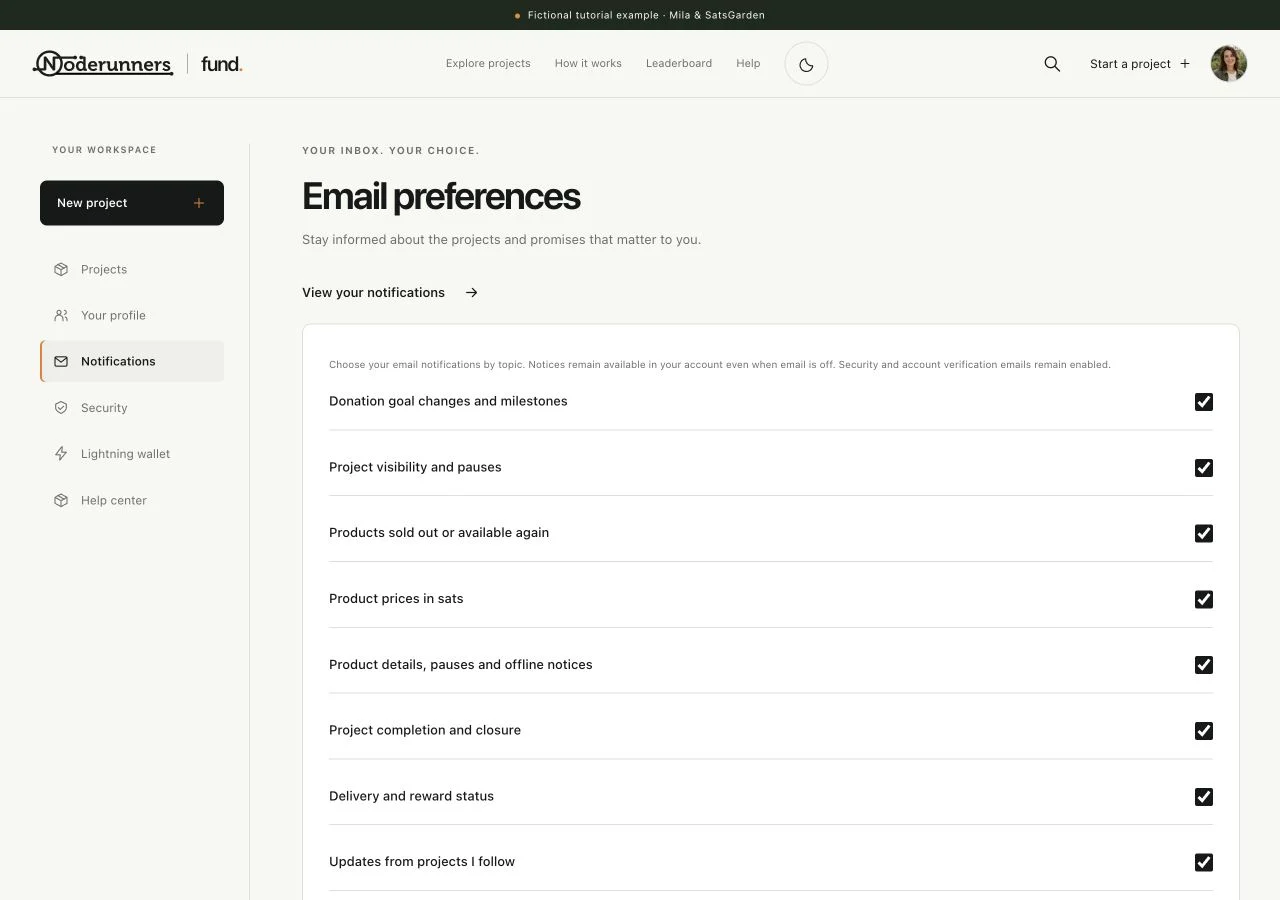
Check email preferences and the website notice
Look in Notifications first. If the notice is there, check the relevant email preference, the inbox used for the account or donation, and spam or junk. Automatic mail is processed in the background and provider limits can introduce a delay. Requesting repeated verification emails can replace older links; use the newest valid message.
For a guest donation, confirm the email address
Open the private donation page and complete its email-code step if it is still waiting. An unconfirmed guest address is not treated like a verified account inbox for private receipt access. If you have lost the private page, use the backup-access option or a saved private link. A public reference alone does not grant access to someone's donation.
Contact the right place with useful information
For reward contents, personalisation or delivery, use the private conversation with the maker. For payment confirmation, account access or a platform error, use the support contact shown by the site. Include the reference and a short description of the problem. Automatic no-reply messages are not read as a support inbox. Never send a password, authenticator recovery code, wallet seed or API key.
Keep records until the issue is resolved
Save the reference, relevant messages and the original reward terms. A request for review or a refund is not itself proof of a completed refund. Follow the confirmed outcome shown by the platform and the relevant donation terms, and use the private conversation to agree practical next steps.
You’re all set when…
You know whether to retry a preparation or investigate an existing payment.
Your request for help includes the useful reference without exposing private access or secrets.